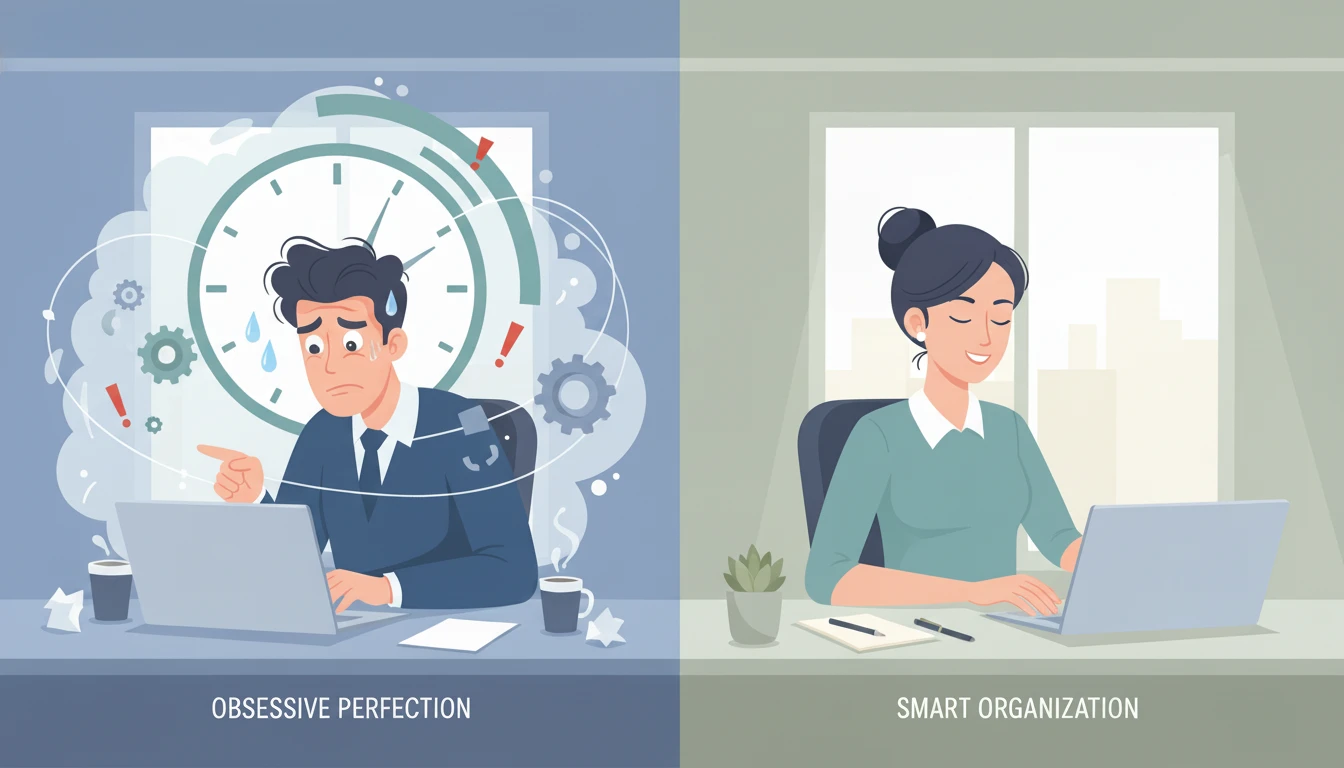
Why "Inbox Zero" is a Myth (And What to Do Instead)
Introduction
Let me guess: you've tried to achieve Inbox Zero. You cleared out everything, felt amazing for about 20 minutes, and then... the emails started flooding back in. By lunchtime, you had 15 new messages. By end of day, 43. The next morning? You're right back where you started.
Sound familiar?
Here's the uncomfortable truth: Inbox Zero is a losing game for most business owners. It's not because you're bad at email management—it's because the goal itself is fundamentally flawed for how modern business communication actually works.
In this post, I'll explain why chasing Inbox Zero creates more stress than it solves, and show you a smarter approach that actually works for busy entrepreneurs who get dozens (or hundreds) of emails every day.
The Inbox Zero Trap
What Inbox Zero Promises
The concept of Inbox Zero, popularized by productivity expert Merlin Mann, sounds appealing: clear your inbox completely every day. Process every message. Achieve that satisfying "0 unread" state. Feel in control.
Why It Fails for Most People
The Volume Problem
If you're running a business, you're probably getting 50-200+ emails per day. That's not 2007 anymore. Between client communications, vendor emails, newsletters, notifications, and actual spam, the flood is relentless.
Achieving true Inbox Zero means processing every single one of these messages every single day. That's 2-3 hours of email management daily—before you've done any actual business work.
The Anxiety Cycle
Inbox Zero creates a binary mental state: you either have zero (success!) or you don't (failure). There's no middle ground. This creates constant anxiety because you're always either defending your zero or feeling guilty about not having it.
It turns email into a scoreboard instead of a tool.
The Opportunity Cost
Every minute you spend clearing non-urgent emails to hit zero is a minute you're not spending on:
- Client work that generates revenue
- Strategic planning for growth
- Creative problem-solving
- Building relationships
- Actually resting and recharging
Warning Sign
If you find yourself checking email every 30 minutes "just to keep up," or feeling anxious when you see the unread count rise, Inbox Zero has become part of the problem, not the solution.
The Smarter Alternative: Priority-Based Email Management
Instead of trying to clear everything, shift your focus to processing what matters and ignoring what doesn't.
The Core Principle
Not all emails are created equal. In fact, most research shows that only 20-30% of your incoming emails actually require your attention or action. The rest is noise.
Your goal isn't zero emails. Your goal is zero important emails missed.
The Three-Tier System
Organize your email into three categories:
1. Priority (Needs Your Attention Now)
- Direct client requests
- Time-sensitive decisions
- Revenue-related communications
- Team blockers that need your input
Goal: Check 2-3 times per day, respond within 4 hours
2. Later (Important But Not Urgent)
- Project updates that don't require immediate action
- Industry newsletters you want to read
- Non-critical vendor communications
- FYI messages from your team
Goal: Batch process once or twice per week
3. Archive/Done (Completed or Irrelevant)
- Receipts and confirmations you need to keep
- Completed threads
- Reference material
- Everything else that doesn't fit above
Goal: Auto-archive after 30 days if not moved
The Result
With this system, you can have 200 emails in your inbox and still feel completely in control—because you know exactly where the 10 important ones are, and you're not wasting mental energy on the other 190.
How to Set This Up (Step by Step)
Option 1: Gmail Priority Inbox (Free)
Gmail's built-in Priority Inbox does this automatically using AI.
Setup:
- Go to Settings → Inbox
- Select "Priority Inbox"
- Customize sections: "Important," "Starred," "Everything else"
- Train it by marking important senders/threads as priority
Pro tip: Use stars for "need to respond today" and let everything else live in "Important" or "Everything else"
Option 2: SaneBox (Paid, $7/month)
SaneBox learns your email habits and automatically sorts messages into folders.
What it creates:
- SaneBox: Unimportant emails (check weekly)
- Inbox: Only important messages
- SaneLater: Can wait a few days
- SaneNews: Newsletters and bulk email
Setup: Connect your email account, and it starts learning immediately. Review its decisions for the first week to train it.
Option 3: Manual Folders (Any Email Client)
Create three folders:
- 📍 Priority
- ⏰ Later
- ✅ Archive
Set up simple rules:
- Known important senders → Priority
- Newsletters → Later
- Everything else → Inbox (manually sort)
Start Simple
Don't try to sort your entire backlog. Start fresh from today forward. Your old emails will naturally fall into Archive as you need them (or you'll realize you never needed them at all).
The Email Routines That Actually Work
Morning Routine (15 minutes)
- Open Priority folder only
- Scan for urgent items (5 min)
- Respond to anything that takes under 2 minutes (10 min)
- Flag/star anything requiring deeper thought for later
Don't: Try to clear everything. Don't open Later folder. Don't check again for 4+ hours.
Midday Check (10 minutes)
- Quick scan of Priority for new urgent items
- Respond to quick wins
- Update your task list if something needs longer attention
End of Day (20 minutes)
- Final Priority check
- Respond to flagged/starred items from morning
- (Optional) Quick scan of Later folder if you have extra time
Weekly Review (30 minutes)
- Process Later folder
- Unsubscribe from newsletters you don't read
- Update email rules/filters based on what you learned this week
- Archive completed threads
Time Savings
This routine totals ~45 minutes of email time per day, compared to the 2-3 hours most people spend chasing Inbox Zero. That's 7-10 hours back in your week.
Handling the Guilt
Let me address the elephant in the room: you're going to have unread emails, and that's okay.
Reframe Your Thinking
Old mindset: "I have 87 unread emails. I'm failing."
New mindset: "I have 3 priority emails today. Everything else can wait. I'm in control."
The "Later" List Isn't Ignoring
Messages in your Later folder aren't being ignored—they're being deferred to a time when you can give them proper attention without derailing your productive work.
That's not neglect. That's smart time management.
Most Emails Self-Resolve
Here's a truth bomb: if you wait 3-5 days to respond to non-urgent emails, about 40% of them won't need a response anymore. The situation resolves itself, someone else answers, or the sender finds another solution.
This isn't being irresponsible—it's recognizing that not every email actually requires your involvement.
When You Actually Need to Be Responsive
This system isn't about ignoring important communications. It's about distinguishing between truly important and everything else.
You should be responsive (same-day) for:
- Paying clients with questions or concerns
- Time-sensitive opportunities (deals, partnerships, media)
- Team blockers that prevent progress
- True emergencies
You don't need to be responsive (same-day) for:
- Newsletter confirmation requests
- Marketing emails
- Non-urgent vendor communications
- Social media notifications via email
- Internal updates that don't require your action
Set clear expectations with clients and team about response times, and then stick to them. "I check email 3 times per day and respond within 4 business hours to priority messages" is completely reasonable.
Automate the Boring Stuff
Once you have your priority system in place, let AI and automation handle the repetitive email tasks:
Use Canned Responses
Create templates for common replies:
- "Thanks for reaching out, here's my availability..."
- "I've received your request and will have an answer by..."
- "Thank you for the update, no action needed on my end"
Gmail, Outlook, and most email clients support saved responses/templates.
Let AI Draft First
Use ChatGPT or your email client's AI features to draft initial responses to routine messages. Edit for your voice and send.
This cuts response time in half for non-critical emails.
Auto-Sort with Rules
Set up filters that automatically move certain types of emails:
- Receipts → Archive
- Newsletter from specific domains → Later folder
- Emails with specific keywords → Appropriate folders
The more you automate sorting, the less mental effort email requires.
Automation Win
One business owner automated sorting and responses for routine client status updates. She went from spending 45 minutes daily on these emails to just 10 minutes reviewing AI-generated drafts. That's 175 hours saved per year.
The Real Goal: Peace of Mind
The point of this system isn't just saving time—it's reducing the mental burden of email.
When you know:
- Your important emails are handled
- Nothing urgent is being missed
- The "Later" stuff will get addressed in due time
- Your backlog isn't actually a crisis
...you can close your email client and focus on real work without that nagging anxiety.
That's the goal. Not zero emails. Zero email anxiety.
Your Action Plan
Here's how to transition away from Inbox Zero and toward priority-based management:
This Week
- Choose your system (Gmail Priority, SaneBox, or manual folders)
- Set it up and start using it from today forward
- Don't worry about your existing backlog yet
Next Week
- Establish your email routine (morning/midday/end of day checks)
- Track how much time you spend on email—you should see it dropping
- Adjust your folders/filters based on what you learn
Ongoing
- Review weekly: what worked, what didn't?
- Gradually add automation and templates
- Let your Later folder grow without guilt—check it weekly and you'll be fine
The 2-Week Test
Give this system a genuine 2-week trial before judging it. The first few days might feel weird if you're used to Inbox Zero, but by day 10, you'll wonder why you ever stressed about clearing everything.
Final Thoughts
Inbox Zero isn't wrong—it's just not realistic for most modern business owners. The volume is too high, the pace is too fast, and the mental cost is too great.
Priority-based email management gives you what Inbox Zero promised: control, clarity, and peace of mind. The difference is this system actually works with how business email happens in 2025, not how we wish it would happen.
Stop chasing zero. Start prioritizing what matters.
Your inbox doesn't need to be empty. It needs to be manageable. And that's completely achievable starting today.
What's your biggest email pain point right now? Drop a comment and let's talk about how to solve it.